> For the complete documentation index, see [llms.txt](https://intuitem.gitbook.io/ciso-assistant/llms.txt). Markdown versions of documentation pages are available by appending `.md` to page URLs; this page is available as [Markdown](https://intuitem.gitbook.io/ciso-assistant/features/workflows/templates.md).
# Template catalog
The ready-made workflows that ship as libraries, by domain, and which one to start from
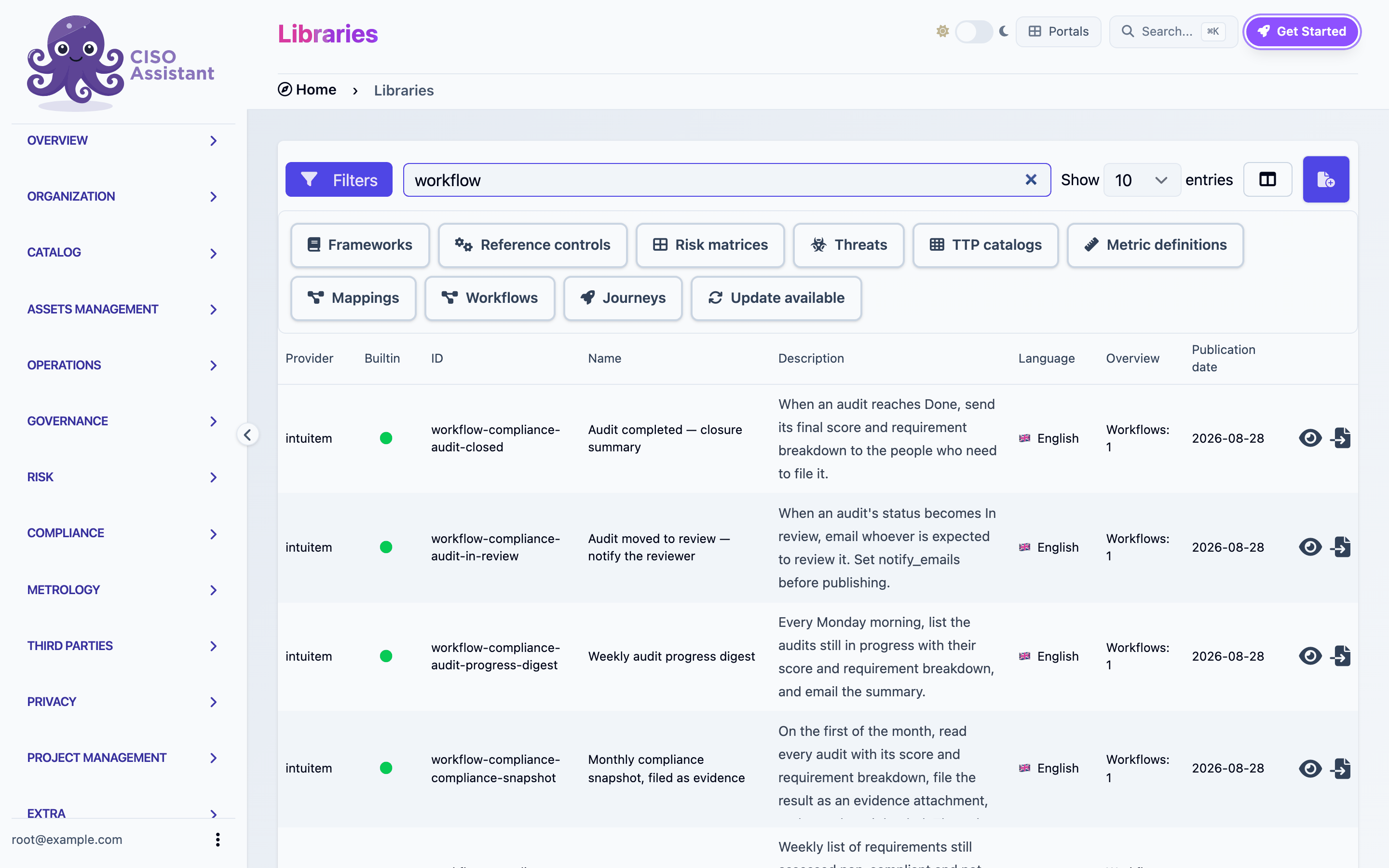
CISO Assistant ships ready-made workflows as libraries. Install one from the library catalog and it becomes a normal workflow in the domain you choose: a draft you can inspect, adjust and publish. Nothing syncs back to the library afterwards, so you can change anything.
Every template follows the same rules:
* It never renders a judgment. Templates notify, file, link and record facts (a date passed, a control opened). Approvals, results and severities stay with people.
* It carries a `notify_emails` variable or similar. Set it before publishing.
* It arrives with automatic triggers disabled. Nothing fires until you enable the trigger.
The library catalog filtered on workflow libraries
## Compliance
| Template | Trigger | What it does |
| -------------------------------------------------------------- | ------------------------------ | ------------------------------------------------------------------------------------------------------------------------------------- |
| Audit completed, closure summary | Audit updated to Done | Reads the audit's final score and requirement breakdown and emails them. |
| Audit moved to review, notify the reviewer | Audit updated to In review | Emails the reviewer. |
| Weekly audit progress digest | Monday 08:00 | Lists audits still in progress with their score and breakdown. |
| Monthly compliance snapshot, filed as evidence | 1st of the month 06:00 | Reads every audit, files the result as an evidence attachment, emails where it landed. An auditor can be shown the posture on a date. |
| Remediation backlog digest | Friday 16:00 | Lists requirements assessed non-compliant and not yet done. |
| Non-compliant requirement, open and link a remediation control | Requirement assessment updated | Creates an applied control, links it to the requirement, notifies the owner. Never touches the result. |
| Validation decided, route the outcome | Validation flow updated | Branches on the decision and sends a different email per outcome. The reference example for branches. |
| Validation requested, notify the approver | Validation flow created | Emails the approver with the deadline. |
## Risk
| Template | Trigger | What it does |
| ----------------------------------------------------- | --------------------------------------------------- | ----------------------------------------------------------------------------------------------------------------------------------- |
| Risk acceptance lifecycle, submitted and decided | Acceptance created, acceptance updated | Two triggers in one workflow. A new acceptance notifies the approver, a decision notifies the requester. |
| Critical finding, open and link a remediation control | Finding created | High-severity finding opens an applied control, links it, notifies responders. |
| High-severity vulnerability recorded, notify | Vulnerability created | Notice for severity 3 and above, whatever created it. |
| Security exceptions past their date, mark expired | Daily 06:00 | Marks lapsed exceptions as expired and mails the list. Expiry is a fact about a date. |
| Overdue findings, daily digest | Daily 07:00 | Findings past their due date and not closed. |
| Untreated high risks, weekly sweep | Monday 09:00 | Risk scenarios at or above a level whose treatment is still open. The level index depends on your matrix. |
| Derogation triage, route and open the exception | Derogation request submitted | Opens the exception in draft, then branches on the answers: high exposure is dated tightly and escalated, routine is left alone. |
| Derogation, attach a compensating control | Manual, from a request with no compensating control | Creates the control, notes it on the request and tells the requester. It does not accept the request. |
| Derogation, approved request becomes an exception | Derogation request closed | Creates the security exception from the answers, links the control the requester named and notes the exception back on the request. |
## Operations
| Template | Trigger | What it does |
| ------------------------------------------------------ | ----------------------- | ------------------------------------------------------------------------------------------------------------------------------------------------------------------------------------------------------------------------------------------------------------------------------------------------------------------------------------------------------------------------------------------------------------------------------- |
| Control went live, push it to an external system | Applied control updated | Posts JSON to your ITSM or chat webhook. Needs a `target_url` variable and an `itsm_token` secret. |
| Overdue applied controls, weekly digest | Monday 08:30 | Controls past their ETA and not active, one line each, mailed. The reference example for loops. |
| Domain onboarding pack | Manual | Creates a domain with default groups, provisions a user, adds them to the analyst group. Fill the variables and run it per new team. |
| Third party added, start its assessment | Entity created | Creates an entity assessment for the new third party. |
| Third party added, tiered due diligence | Entity created | Branches on dependency. Critical gets the full questionnaire and two weeks, the rest the core implementation group and six weeks. Uses Date offset. |
| Evidence collection, pull an evidence file from a tool | Schedule | Every Monday, downloads the current file from a tool and files it as a new revision of one evidence. If a task expects that evidence, the file answers for the occurrence currently due, so the task shows its evidence as provided. Warns by email when the tool answers badly or not at all. Optionally records a number the same tool publishes. Set `evidence_uuid`, `tool_url` and `warn_to`, add the `tool_token` secret. |
| External report, download it and file it as evidence | Webhook | Downloads a file from a base URL you control plus a caller-supplied path, attaches it to a new evidence. |
| Personal access token created, notify security | Token created | Notice whenever a long-lived credential is minted. |
| Read-only explorer | Manual | Reads a few applied controls and logs them. Touches nothing. The safest first Execute. |
| Scanner intake, record vulnerabilities from a webhook | Webhook | Each posted entry becomes a vulnerability, matched on name so re-posting updates instead of duplicating. |
| Third-party portfolio review, every active vendor | Manual | Walks the whole portfolio page by page. Same four steps for twelve vendors or twelve hundred. The reference example for paged loops. |
| Findings binder, AI triage sweep | Manual | Walks every finding in a binder, rates it with the configured AI provider and drafts a triage note. Needs the `chat_mode` flag and a provider. Set `binder_id`. |
## Privacy
| Template | Trigger | What it does |
| ------------------------------------------------------- | ------- | ----------------------------------------------------------------------------------------------------------------------------- |
| Processing intake, record a new processing and its data | Webhook | Creates a processing, its purpose and each personal data entry. Categories match by name against your instance's terminology. |
## Where to start
* Never ran a workflow before: **Read-only explorer**.
* Want a scheduled digest: **Overdue applied controls, weekly digest**, then change the model and the filters.
* Want to react to a status change: **Validation decided, route the outcome**.
* Want to receive data from another system: **Scanner intake**.
* Want to send data to another system: **Control went live, push it to an external system**.
See [Sharing workflows](/ciso-assistant/features/workflows/sharing.md) for how installation, provenance and secrets work.
---
# Agent Instructions
This documentation is published with GitBook. GitBook is the documentation platform designed so that both humans and AI agents can read, navigate, and reason over technical content effectively. Learn more at gitbook.com.
## Querying This Documentation
If you need additional information that is not directly available in this page, you can query the documentation dynamically by asking a question.
Perform an HTTP GET request on the current page URL with the `ask` query parameter, and the optional `goal` query parameter:
```
GET https://intuitem.gitbook.io/ciso-assistant/features/workflows/templates.md?ask=&goal=
```
`ask` is the immediate question: it should be specific, self-contained, and written in natural language.
`goal` is optional and describes the broader end goal you are ultimately trying to accomplish on behalf of the user. GitBook uses it to tailor the answer towards what is most useful for that goal.
The response will contain a direct answer to the question and relevant excerpts and sources from the documentation.
Use this mechanism when the answer is not explicitly present in the current page, you need clarification or additional context, or you want to retrieve related documentation sections.