> For the complete documentation index, see [llms.txt](https://intuitem.gitbook.io/ciso-assistant/llms.txt). Markdown versions of documentation pages are available by appending `.md` to page URLs; this page is available as [Markdown](https://intuitem.gitbook.io/ciso-assistant/features/workflows/sharing.md).
# Sharing workflows
Export and import workflows as files, and install ready-made ones from the library catalog
A workflow can leave your instance as a file and come back in on another, or be installed from the library catalog.
## Export
Click **Export** in the builder header. You get a file named after the workflow. It contains the draft if one exists, otherwise the published version.
The file carries:
* The name, description and reference id.
* The variables with their types and defaults.
* Every step with its label, ref and settings.
* Every wire.
* The names of the secrets the steps reference, never their values.
It does **not** carry secret values, webhook URLs, run history, trigger on/off states or step positions. The layout is recomputed on import.
## Import
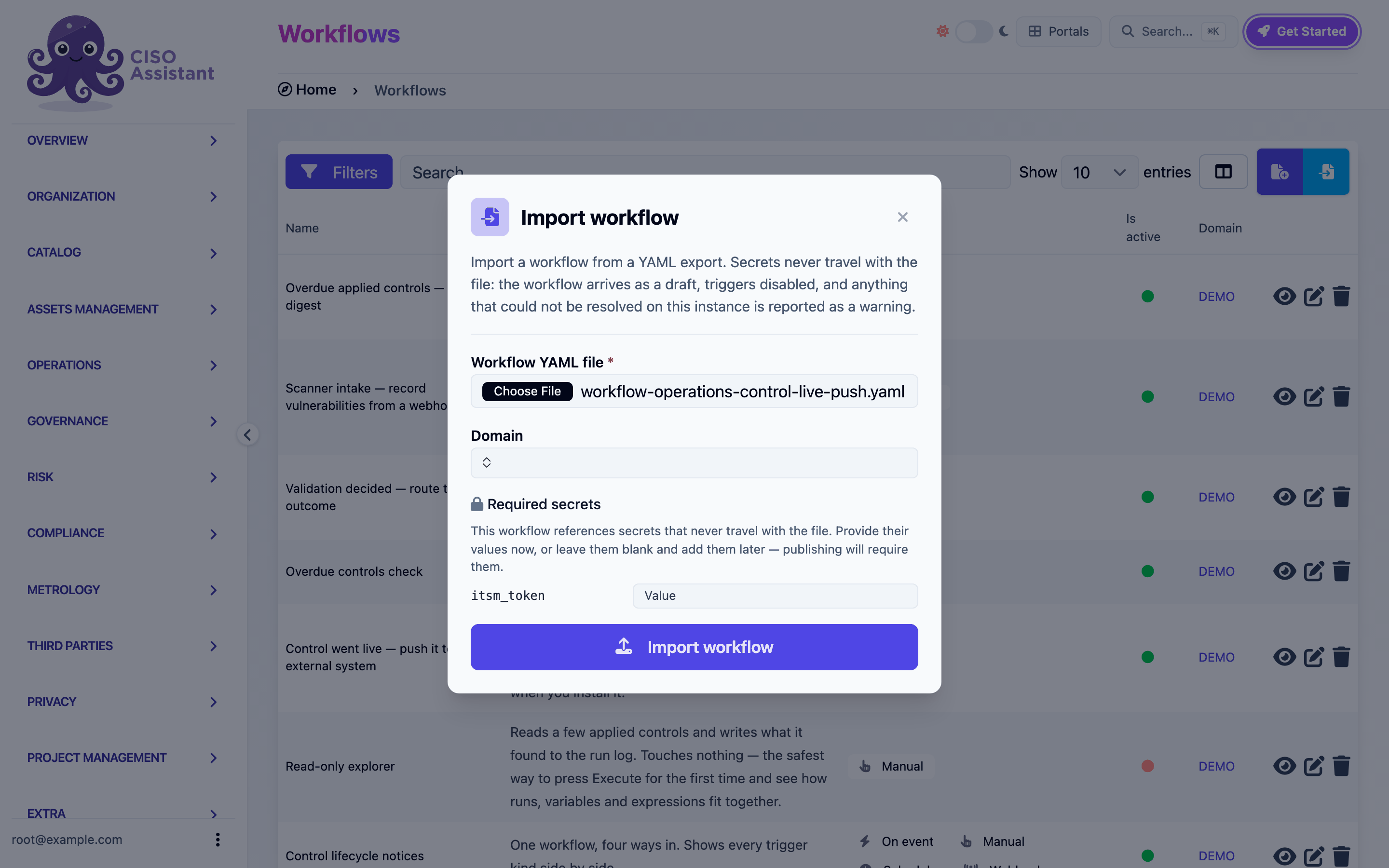
On the Workflows list, click the import button next to **+**.
The Import workflow modal
1. Pick the **Workflow YAML file**.
2. Pick the **Domain** the workflow will live in.
3. If the file references secrets, a **Required secrets** section appears with one field per name. Fill them now, or leave them blank and add them in the builder before publishing.
4. Click **Import workflow**.
The workflow arrives as a new draft with every automatic trigger disabled. Anything the file names that does not exist on this instance (a framework by urn, a category by name) is reported as a warning. The builder opens on the imported draft, laid out automatically. Publish checks are the safety net for anything the warnings mentioned.
Importing the same file twice gives you two workflows. The second gets `(2)` appended to its name.
## Libraries
Templates ship as libraries. In the library catalog, a library that contains workflows shows a **Workflows** row with two actions:
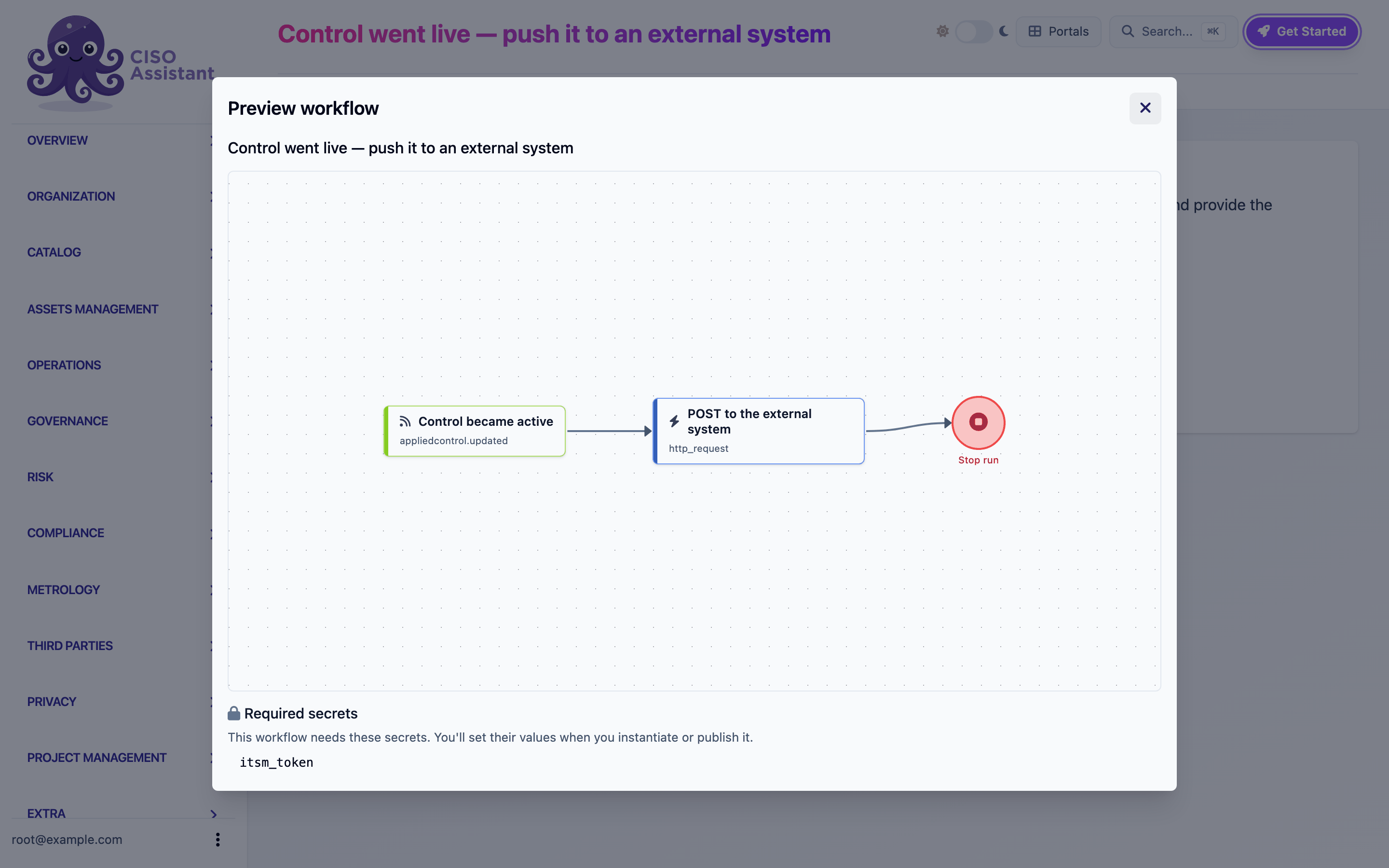
* **Preview workflow** opens the graph read-only, with the list of secrets it needs. Libraries with several workflows show one tab per workflow.
* **Instantiate workflow** asks for a domain, then creates the workflow there: a draft, triggers disabled, secrets to be provided.
Previewing a library workflow
Once instantiated, the workflow is yours. Updating the library later does not touch your copy, and your changes never go back to the library.
Your own exports are libraries too. A file you exported can be loaded through the library import as well as through the workflow import dialog. The difference is only where the workflow lands: the dialog asks for a domain.
---
# Agent Instructions
This documentation is published with GitBook. GitBook is the documentation platform designed so that both humans and AI agents can read, navigate, and reason over technical content effectively. Learn more at gitbook.com.
## Querying This Documentation
If you need additional information that is not directly available in this page, you can query the documentation dynamically by asking a question.
Perform an HTTP GET request on the current page URL with the `ask` query parameter, and the optional `goal` query parameter:
```
GET https://intuitem.gitbook.io/ciso-assistant/features/workflows/sharing.md?ask=&goal=
```
`ask` is the immediate question: it should be specific, self-contained, and written in natural language.
`goal` is optional and describes the broader end goal you are ultimately trying to accomplish on behalf of the user. GitBook uses it to tailor the answer towards what is most useful for that goal.
The response will contain a direct answer to the question and relevant excerpts and sources from the documentation.
Use this mechanism when the answer is not explicitly present in the current page, you need clarification or additional context, or you want to retrieve related documentation sections.