> For the complete documentation index, see [llms.txt](https://intuitem.gitbook.io/ciso-assistant/llms.txt). Markdown versions of documentation pages are available by appending `.md` to page URLs; this page is available as [Markdown](https://intuitem.gitbook.io/ciso-assistant/ai-and-integrations/service-accounts.md).

# Service accounts

A **service account** is an identity for a script, CI pipeline, or external system to call the CISO Assistant API on its own, no human, no session, no interactive login. It authenticates using the OAuth2 **client credentials** grant, fully delegated to the OIDC identity provider built into CISO Assistant.

{% hint style="info" %}
This is a **PRO** feature. It is gated by the `Service accounts` feature flag (see [Feature flags](/ciso-assistant/configuration/settings/feature-flags.md)). While the flag is off, the **Service accounts** menu stays hidden and its API is unreachable.
{% endhint %}

### Creating a service account

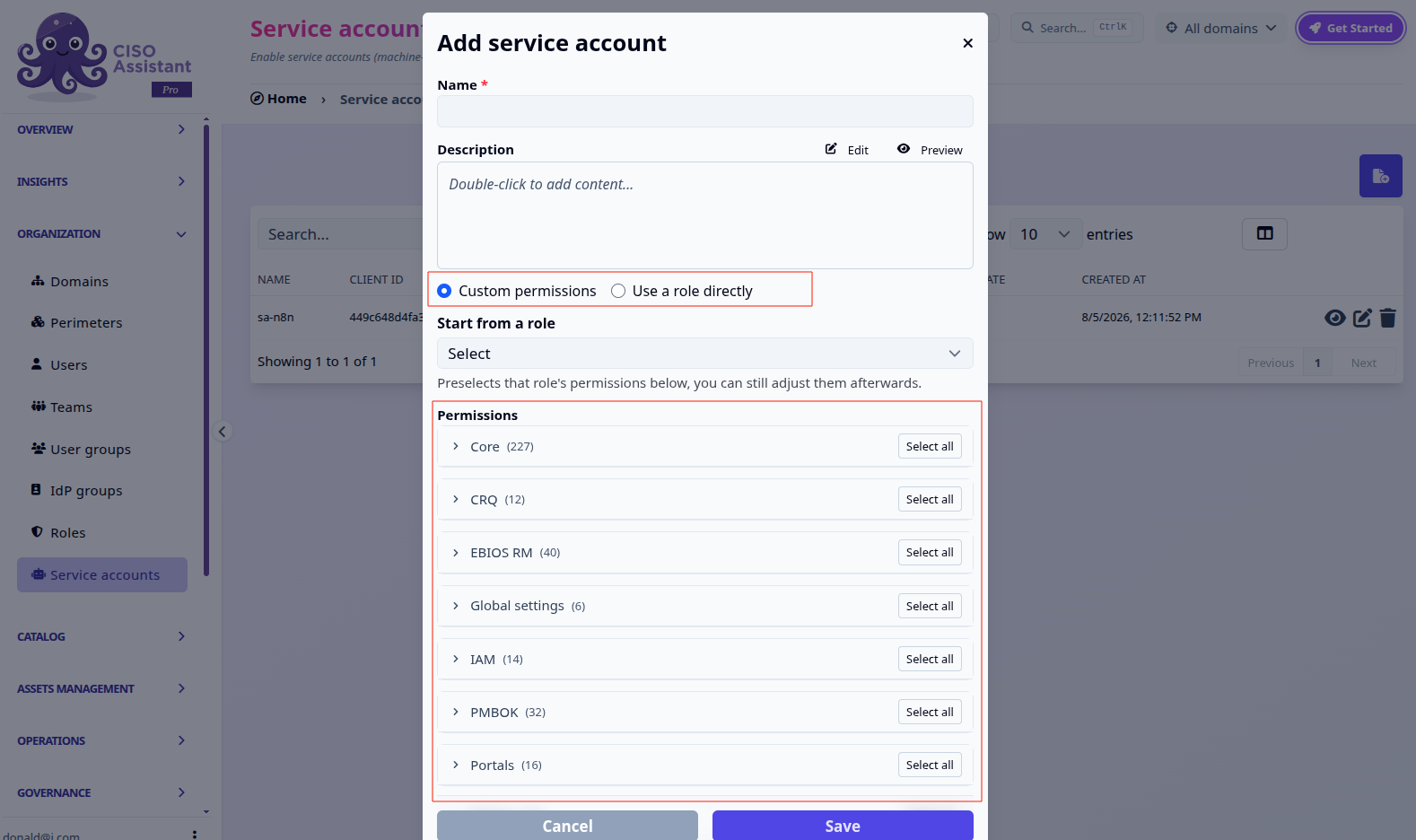
Service accounts live under **Organization > Service accounts** in the sidebar, right next to Roles. Creating one asks for a **name**, an optional description, how it gets its **permissions**, and the **domains** to scope it to.

There are two ways to grant permissions:

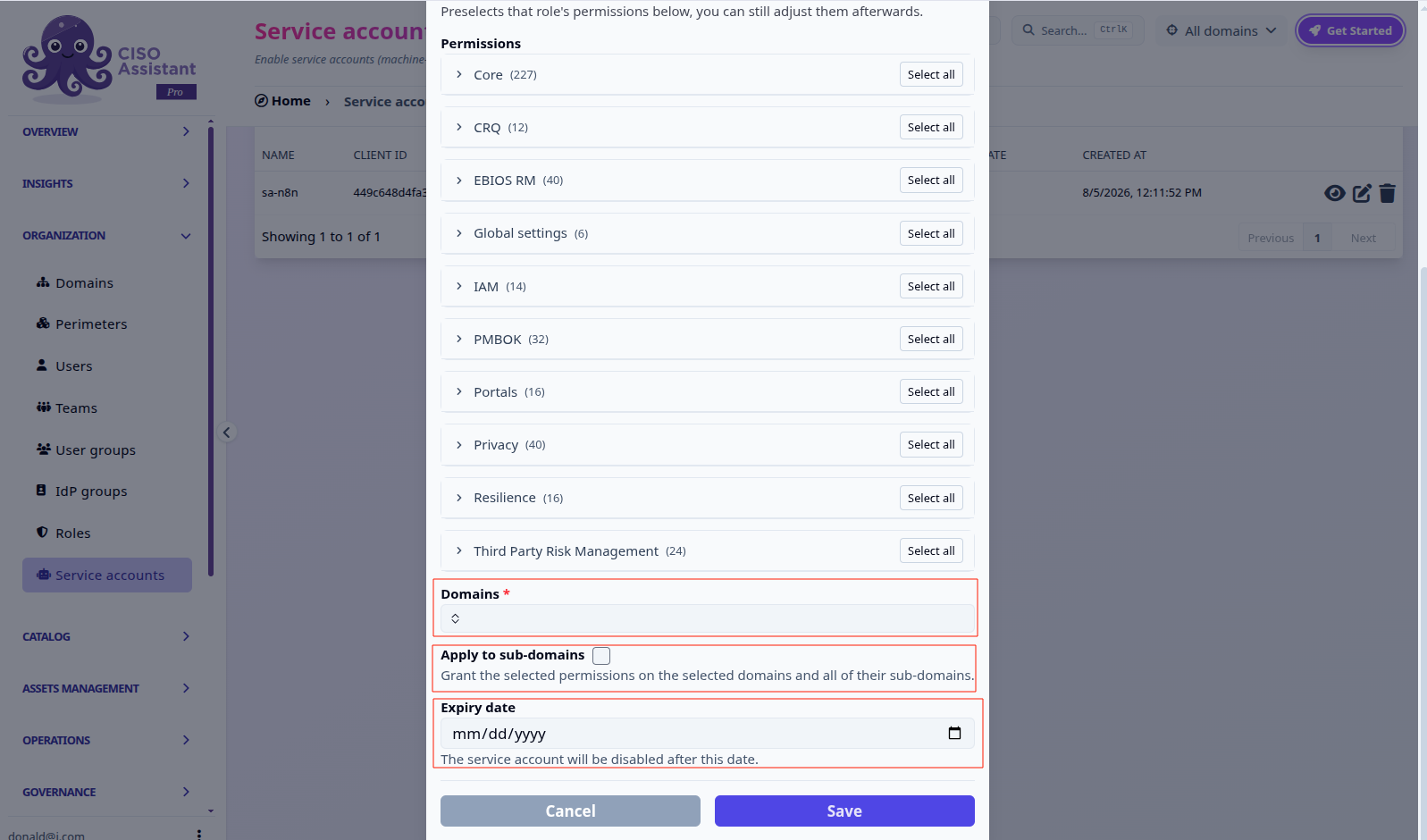
* **Custom permissions**, hand-pick permissions from the same grouped picker used by [custom roles](/ciso-assistant/configuration/organization/custom-roles.md), by app and model. The **Start from a role** dropdown preselects a built-in role's permissions as a starting point, which you can still adjust afterwards.
* **Use a role directly**, link the account to a built-in role. Its permissions then track that role live: if the role changes later, the service account's access changes with it.

<figure><img src="/files/LOea87tpOKde010qnzso" alt=""><figcaption><p>Custom permissions, with the "start from a role" preset and the grouped picker.</p></figcaption></figure>

Scrolling down, pick the **domains** the account can act on, with an option to extend the grant to their sub-domains automatically, and an optional **expiry date** after which the account is disabled.

<figure><img src="/files/UujrCLk5vEYkJpgfJIfD" alt=""><figcaption><p>Domain scope, "apply to sub-domains", and expiry date.</p></figcaption></figure>

{% hint style="warning" %}
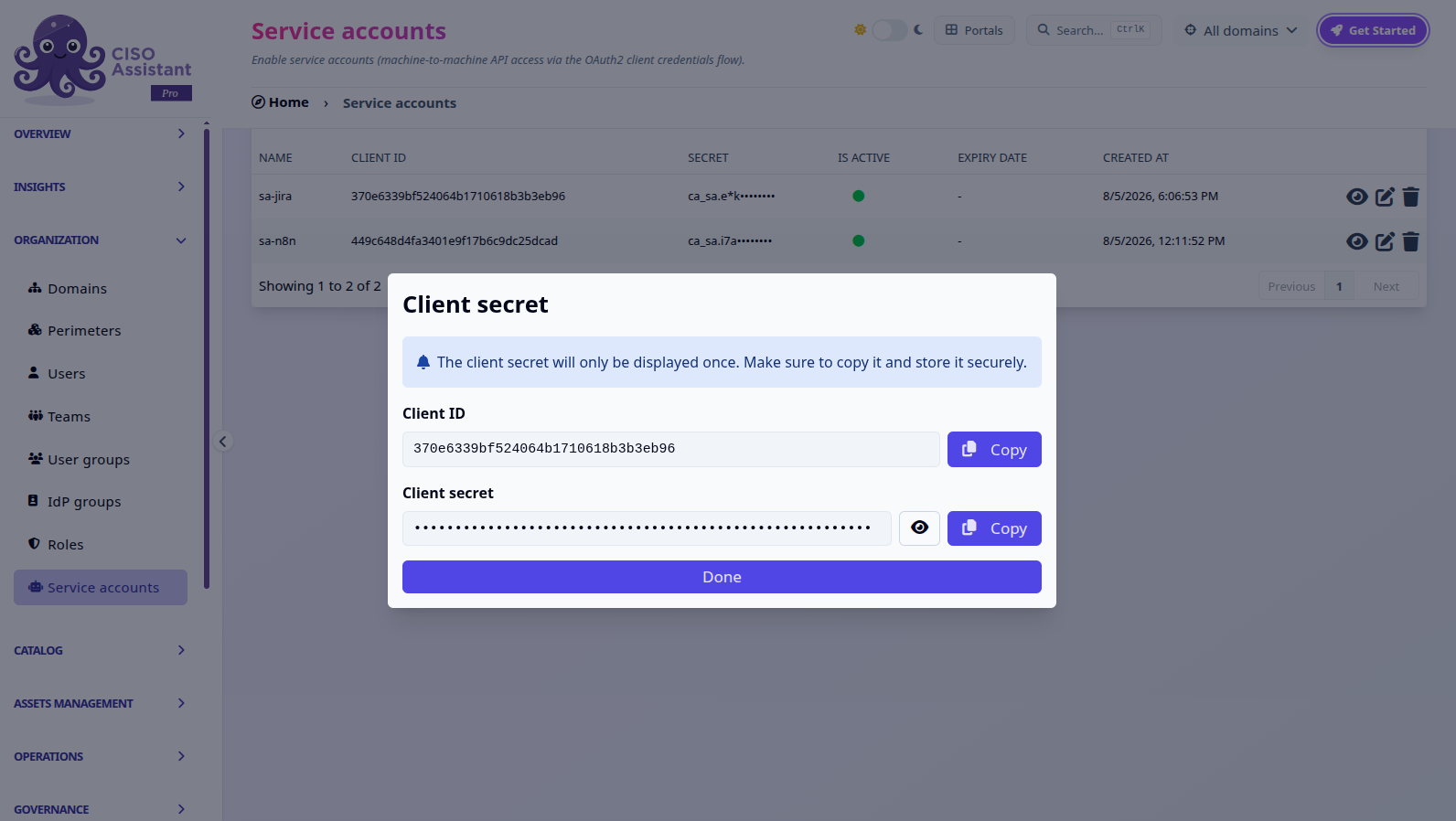
On save, the **Client ID** and **Client secret** are both shown, but only the secret is one-time: the Client ID stays visible on the detail page afterwards. <mark style="color:orange;">Copy the secret now, it cannot be retrieved again.</mark> If you lose it, use **Rotate secret** to issue a new one.
{% endhint %}

<figure><img src="/files/ZlR3NBOHGZtJvSxQYgVG" alt=""><figcaption><p>The client secret is shown only once, right after creation.</p></figcaption></figure>

Afterwards, the list and detail views show a **secret preview** (a masked prefix, e.g. `ca_sa.e*k········`) so you can recognize which secret is in use without ever re-exposing it in full.

### Using it: OAuth2 client credentials

```
curl https://<your-instance>/api/identity/o/api/token \
  -d "grant_type=client_credentials" \
  -d "client_id=<client_id>" \
  -d "client_secret=<client_secret>"
```

This returns a bearer access token, scoped to the permissions and domains you granted. Use it like any other API token:

```
curl https://<your-instance>/api/users/ \
  -H "Authorization: Bearer <access_token>"
```

### Managing a service account

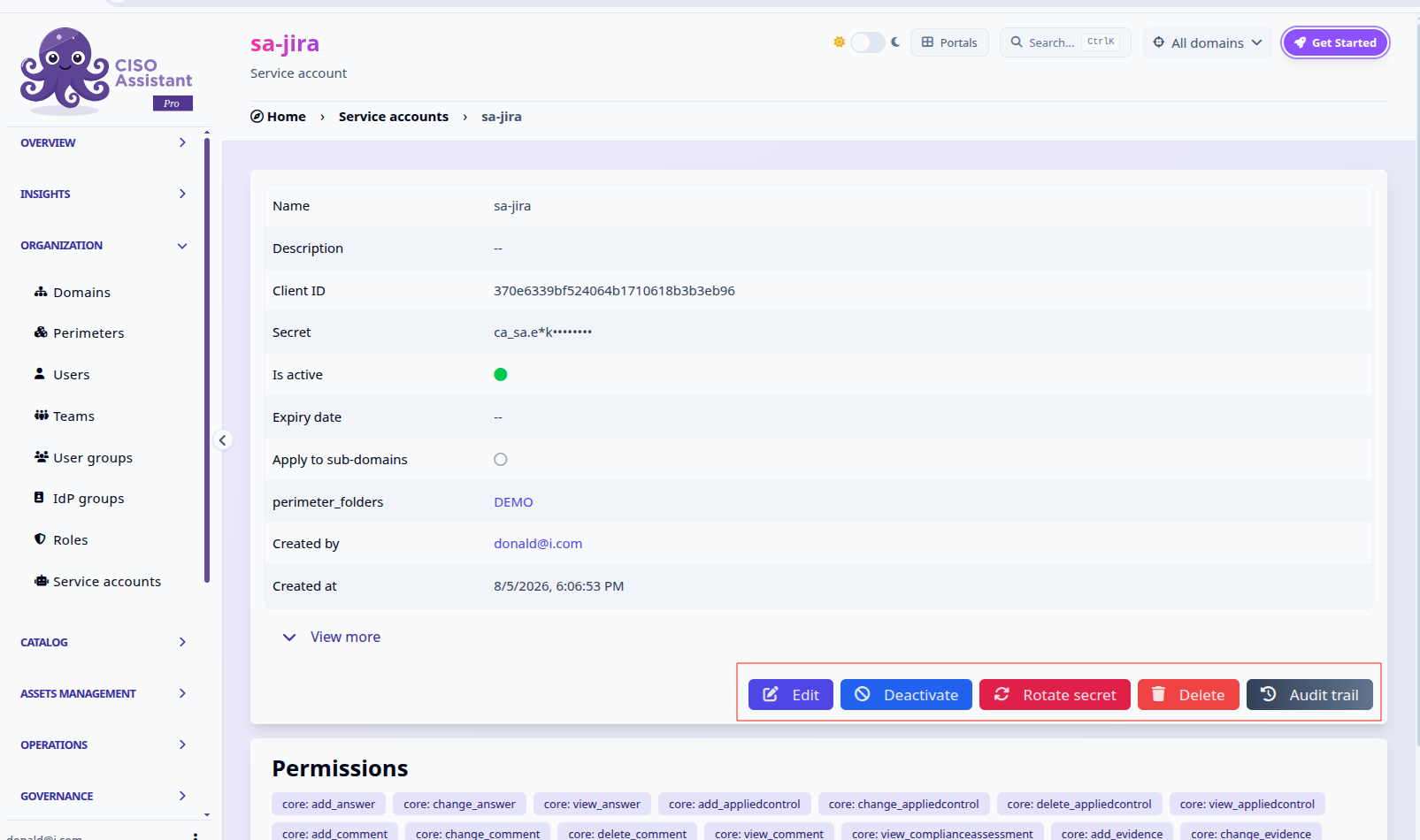
A service account's detail page shows its Client ID, secret preview, scope, and granted permissions, alongside the actions to manage its lifecycle:

<figure><img src="/files/9NAUAYBe783VhYxHxgQP" alt=""><figcaption><p>Edit, Deactivate, Rotate secret, Delete and Audit trail.</p></figcaption></figure>

* **Edit** lets you change permissions, domains, and expiry date, including switching between **custom permissions** and **use a role directly** at any time. Switching to a role links live to that role's permissions; switching to custom detaches it into its own dedicated set, seeded with whatever permissions it had.
* **Deactivate** immediately revokes any outstanding access token and blocks new ones from being issued, without deleting the account. **Activate** restores it.
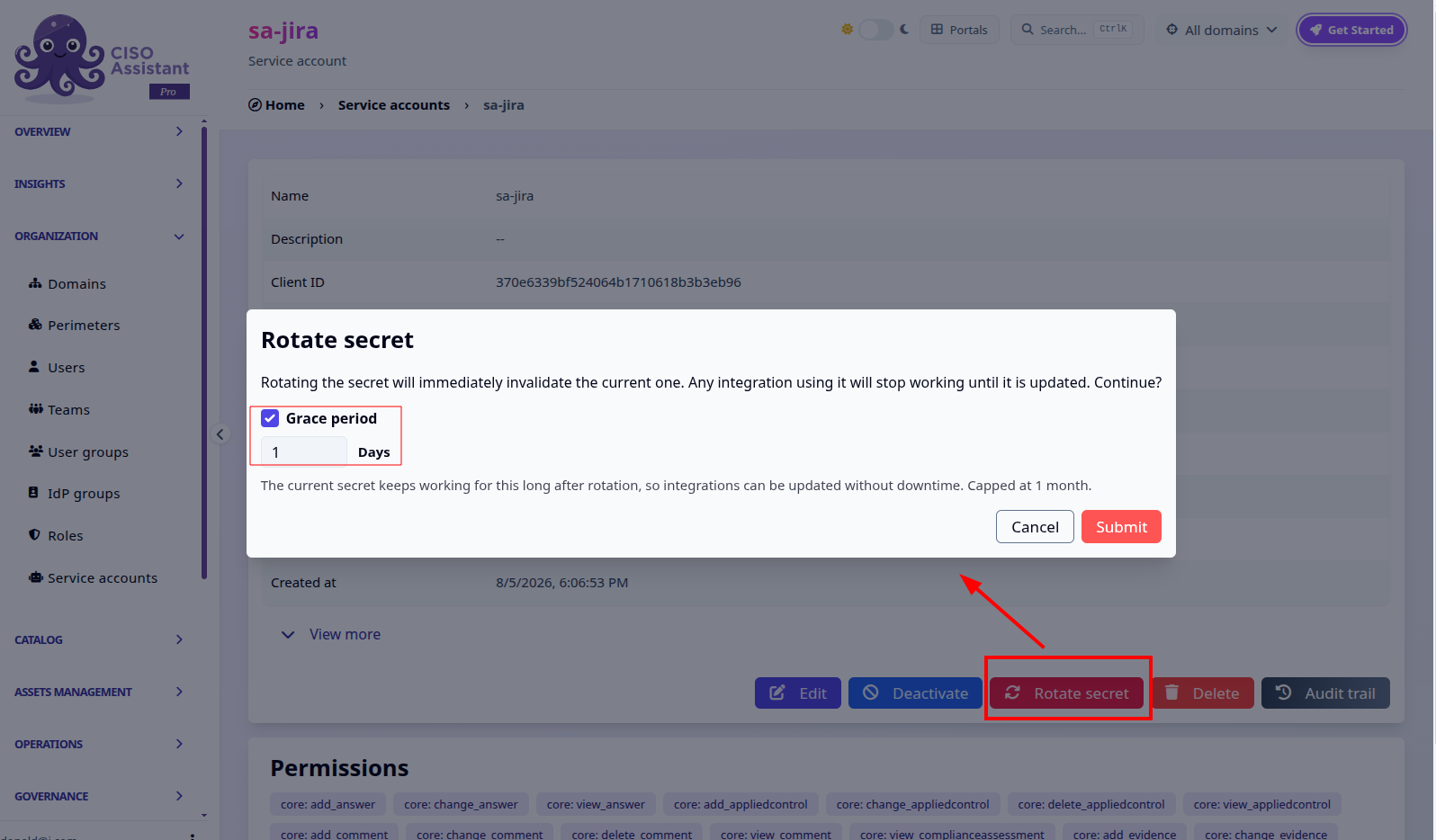
* **Rotate secret** invalidates the current secret and issues a new one on the spot, keeping the same Client ID. An optional **grace period** (in days, capped at one month) keeps the old secret working alongside the new one, so integrations can be updated without downtime.

<figure><img src="/files/fpT0hAiS4Jucg7QDUT0t" alt=""><figcaption><p>Rotate secret, with an optional grace period for the old secret.</p></figcaption></figure>

* **Delete** removes the underlying OAuth2 client entirely; its Client ID stops being valid.

Unlike a [PAT](/ciso-assistant/ai-and-integrations/pat.md), a service account isn't tied to a human user and doesn't expire on a fixed schedule, it stays active until you deactivate or delete it, or until its optional expiry date passes, which makes it the right choice for long-running integrations rather than personal, short-lived API access.


---

# Agent Instructions
This documentation is published with GitBook. GitBook is the documentation platform designed so that both humans and AI agents can read, navigate, and reason over technical content effectively. Learn more at gitbook.com.

## Querying This Documentation
If you need additional information that is not directly available in this page, you can query the documentation dynamically by asking a question.

Perform an HTTP GET request on the current page URL with the `ask` query parameter, and the optional `goal` query parameter:

```
GET https://intuitem.gitbook.io/ciso-assistant/ai-and-integrations/service-accounts.md?ask=<question>&goal=<endgoal>
```

`ask` is the immediate question: it should be specific, self-contained, and written in natural language.
`goal` is optional and describes the broader end goal you are ultimately trying to accomplish on behalf of the user. GitBook uses it to tailor the answer towards what is most useful for that goal.

The response will contain a direct answer to the question and relevant excerpts and sources from the documentation.

Use this mechanism when the answer is not explicitly present in the current page, you need clarification or additional context, or you want to retrieve related documentation sections.